
Marek2D
Marek2D is a Rhino 8 plugin that turns a 3-D model into a 2-D line drawing of the current view, as an alternative to Rhino’s built-in Make2D command. It decides which edges are visible with its own occlusion test instead of trusting Rhino’s, checked against independently computed ground truth on hundreds of randomized test scenes, and it adds a few things Make2D doesn’t do. Free to use.
In each comparison below: black lines are visible, grey dashed lines are hidden, and solid grey lines are seen through glass.
Hidden-line accuracy
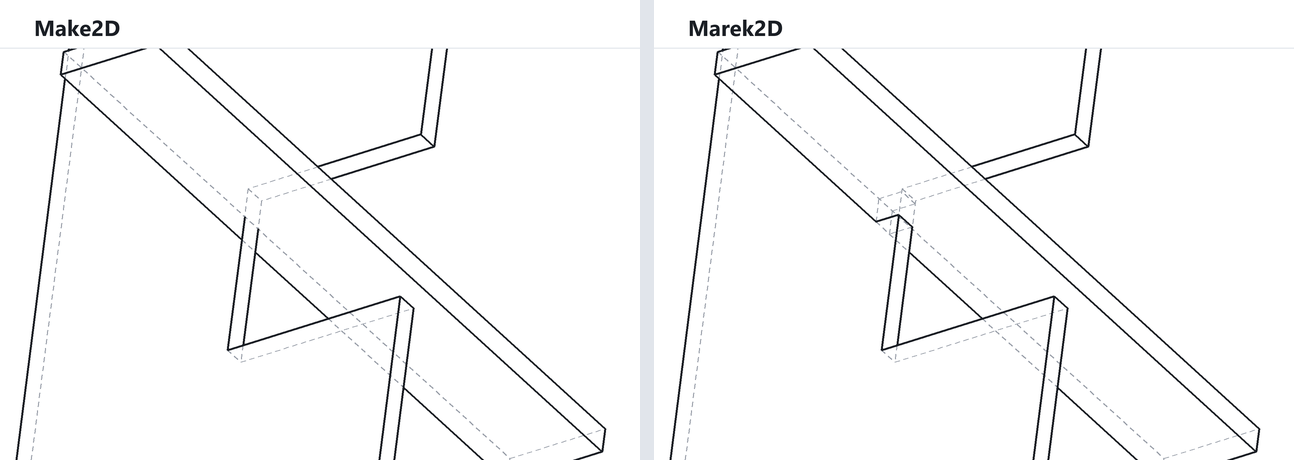
Marek2D checks every edge against the model itself and splits it exactly where it passes out of view, including tricky cases like a bar running through a notch in a panel, as here, and edges that two objects share.
Intersection lines
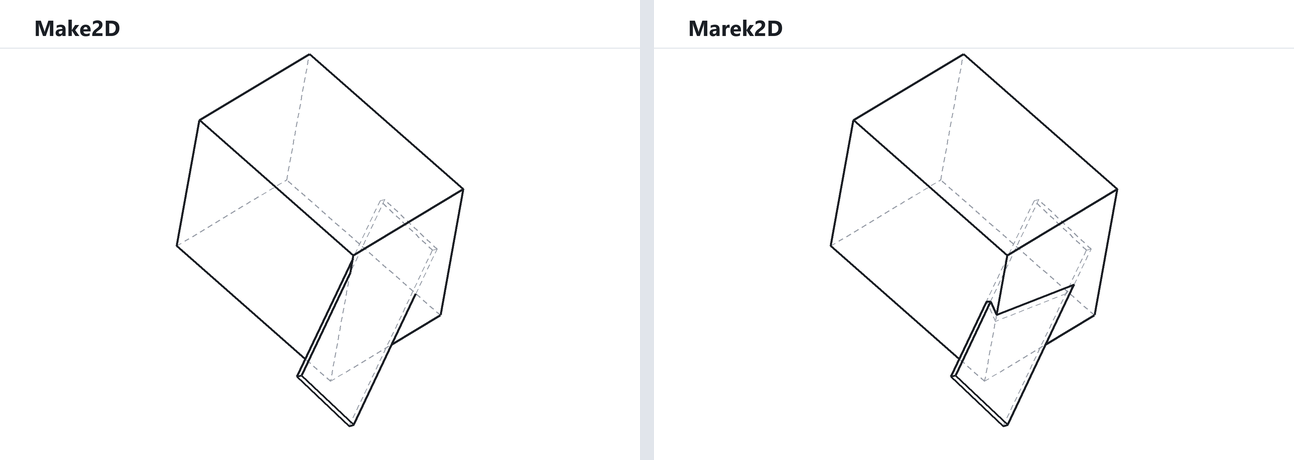
Where one solid passes through another, Marek2D draws the line where their surfaces meet, on both objects’ layers. Make2D leaves it out.
Seeing through glass
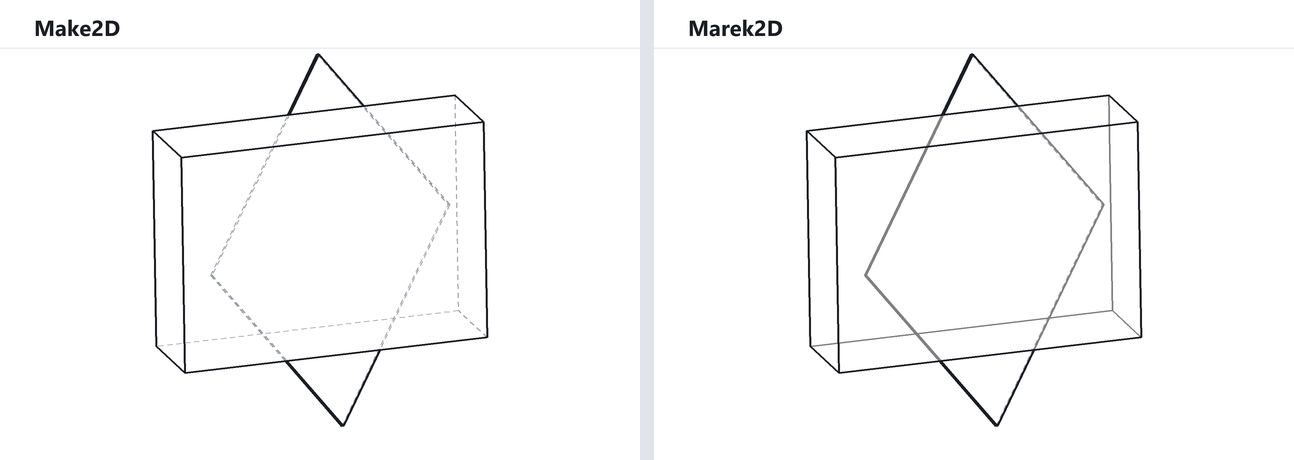
Make2D treats glass as solid, so everything behind a window becomes a hidden line. Marek2D puts what is seen through transparent objects on its own Through_Glass layer, to style separately.
Shadows
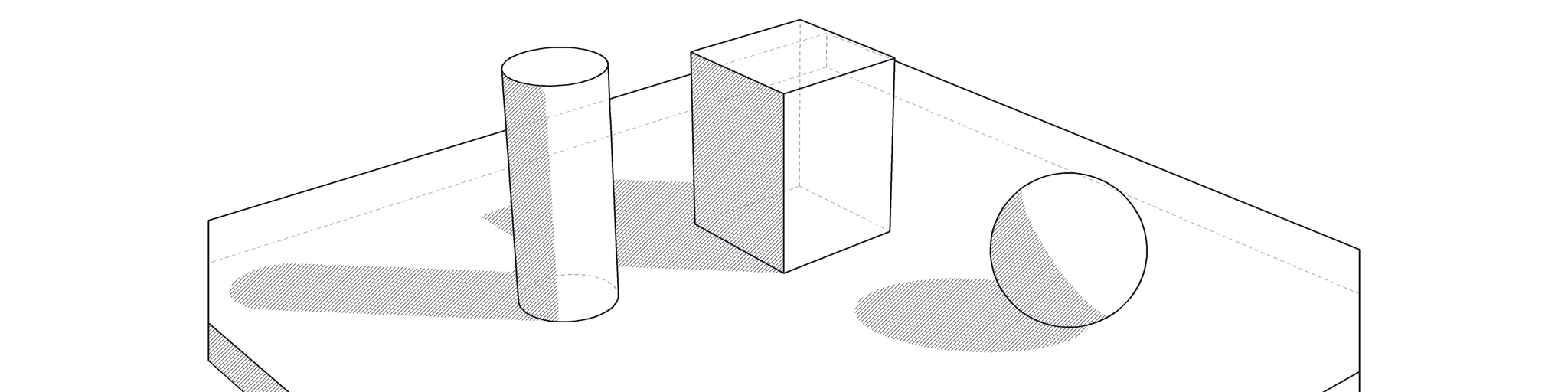
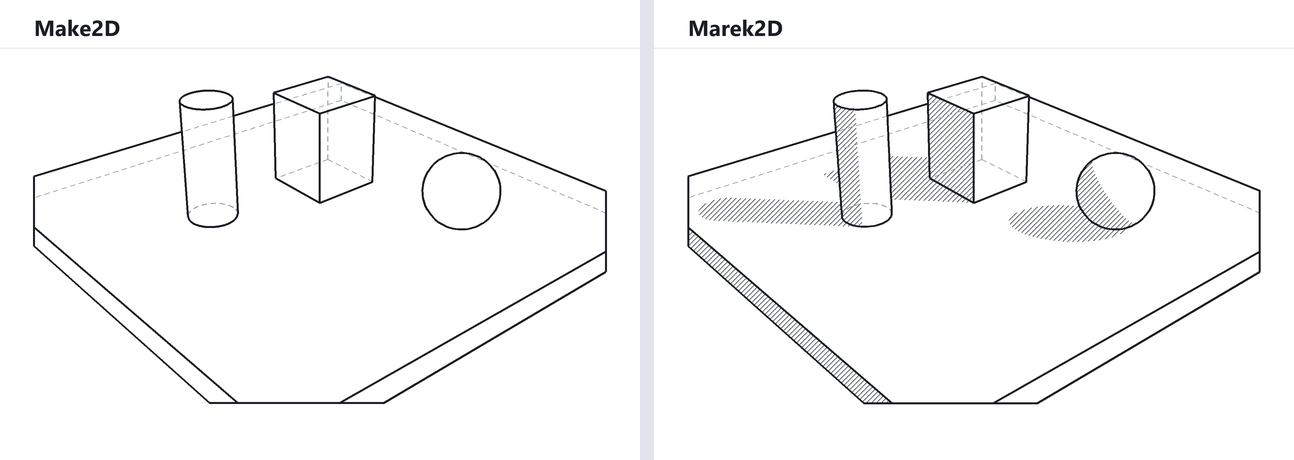
With the sun set up in the model, Marek2D adds closed curves around every visible area in shadow, cast or self-shadowed, already hatched, with the hatches grouped so the pattern can be changed with one click.
Also: the output layers mirror the model’s own layers; clipping planes are applied the way the viewport shows them, including hidden planes and include/exclude lists; and standalone curves and hatches are hidden behind solids like everything else.
The trade-off is speed. Marek2D does much more checking than Make2D, so it is slower, noticeably so on large scenes.